
GurtOS
An operating system for computers where AI agents do real work. Every task runs as its own Linux user, in its own copy of your files, without your keys. You can undo any one of them.
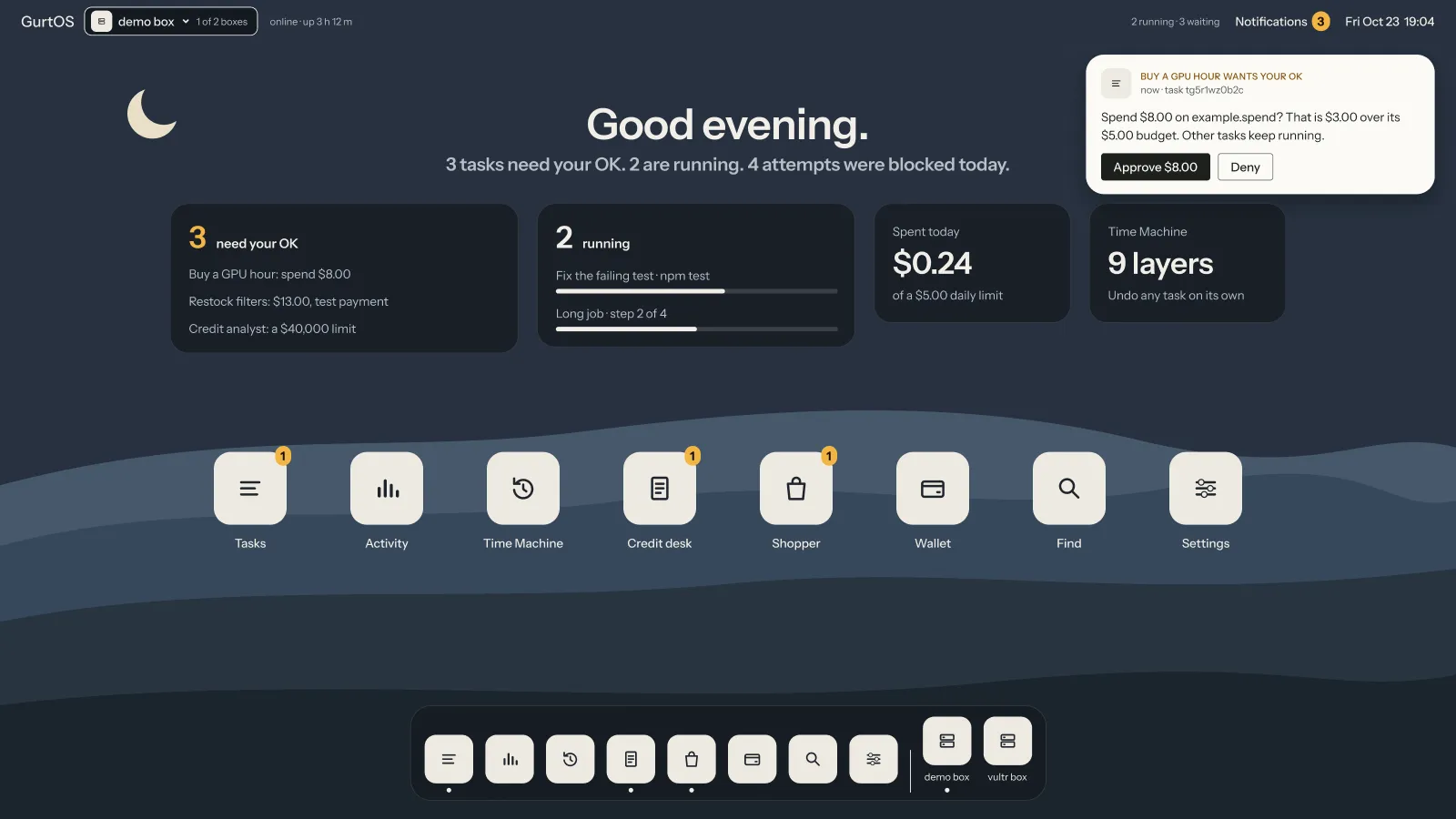
The home screen, from the portal's design. Names, tasks and amounts are examples.
Why GurtOS
Section titled “Why GurtOS”An agent that does real work needs real access: your files, the web, your accounts, sometimes your money. Today that usually means running it as you, on your machine, with your keys in its environment. One bad web page, or one wrong guess, and it can read your secrets or change files you cannot get back.
GurtOS is a computer built for that work. The operating system keeps each task apart, holds the keys itself, asks you before money moves, and writes down everything that happens.
What GurtOS does
Section titled “What GurtOS does”- Undo one task. Each task's changes are a separate layer on its workspace. Undo removes that layer and leaves every other task's work in place. See Workspaces and layers.
- Keep keys out of reach. Tasks never hold a secret. The vault is readable by root only, and tools that need a key run inside the core. See The vault and the broker.
- Limit the network. A task can reach only the hosts its spec names. Everything else is refused and logged. See Network policy.
- Pause for your OK. Spending above a task's budget, or anything a task asks about, waits for your answer from the portal or your phone. Other tasks keep running. See Approvals and budgets.
- Record everything. One append-only action log holds every step, tool call, approval, cost and blocked connection. See The action log.
- Survive a power cut. At boot the box rebuilds every task from the log and resumes what was running. See Resume after power loss.
- Update as a whole. The operating system installs updates into a second system slot and rolls back by itself if the new one is not healthy. See System updates.
Editions
Section titled “Editions”| Edition | For | Status |
|---|---|---|
| GurtOS Server | An always-on box at home or in the cloud, with no human login | Preview |
| GurtOS Personal | Your own computer, with agents working beside you | Preview, in development |
| GurtOS Business | A company's agents, with roles, routed approvals, audit and a fleet | Planned |
Find your way
Section titled “Find your way”| If you want to | Start with |
|---|---|
| Install GurtOS and run a first task | Install GurtOS Server, then Your first task |
| Get a specific job done | How-to guides |
| Understand how it works | Architecture |
| Look up an API, a file or a setting | HTTP API and the rest of the reference |
| Decide whether it is safe enough for you | Security model and threat model |